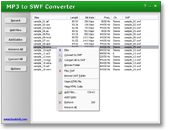
MP3 to SWF Converter
MP3 to SWF Converter converts MP3, WAV, AAC, M4A, WMA,
OGG files to SWF (Adobe Flash Movie) quickly and easily. It can also record
your voice via microphone and convert to SWF.
MP3 to SWF Converter creates streaming SWF files that play
instantly, no waiting. You can convert your favorite music to SWF and place it
to your website as web page background music to attract more visitors
and increase website traffic. You can also record
your voice (e.g. your product instruction, customers' reviews etc.) and add to
your website to increase your sales.
MP3 to SWF Converter can encode audio files with different
parameters (like sample frequency, bit rate, channels or encoding quality). This
means MP3 to SWF Converter can convert a large-size audio file to
a small-size SWF file so that the SWF file can be downloaded faster.
MP3 to SWF Converter supports streaming and event sounds; and it can generate
not only single one SWF and also sound with a shell player
SWF. The software supplies many player templates, and user can customize
button color of player. The software supports batch conversion
as well.
Easy
to Add Audio to Your Website and Blog!
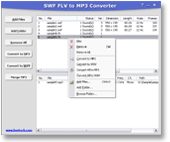
SWF FLV to MP3 Converter
SWF FLV to MP3 Converter (formerly SWF
to MP3 Converter) converts SWF (Adobe Flash Movie File) and FLV
(Flash Video) into MP3 and WAV formats.
SWF is currently the dominant format for displaying animated vector
graphics, text, video, and sound on the web. SWF FLV to MP3 Converter software
converts any version SWF files into MP3 and WAV formats. A SWF file may contains
one or more sound elements. The software extracts any sound elements and saves
as independent audio files. The software also offers a MP3 merging feature that
enables user to merge multiple extracted MP3 files into single one file.
FLV is the video format used by Flash. FLV (Flash Video) is a file format
used to deliver video over the Internet using Adobe Flash Player. The FLV is currently
used by YouTube, Google Video, Yahoo! Video, Reuters.com and many other news providers.
SWF FLV to MP3 Converter supports all the FLVs.
The software also supports batch conversion that allows user to convert a batch
of SWF and FLV files in a time.
Convert
SWF/FLV to MP3/WAV Easily and Quickly!
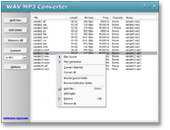
WAV MP3 Converter
WAV MP3 Converter converts WAV to MP3 and MP3 to WAV.
It can also resample WAV and MP3 files. WAV MP3 Converter can encode
MP3 or WAV with different encoding parameters (like sample frequency, bit rate and
channels). This means it can convert a large-size MP3 or WAV file to
a small-size one. WAV MP3 Converter supports batch conversion.
You can add multiple MP3/WAV files and convert them at a time. You can also add a
folder or drag and drop several MP3/WAV files and folders onto main window, and then
it will search all MP3 and WAV files and add to conversion list.
Convert
WAV to MP3, MP3 to WAV, Resample MP3, Resample WAV!
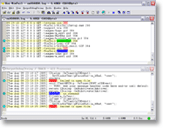
Hoo WinTail
Hoo WinTail is a real-time log monitor for Windows like the UNIX tail -f utility. It can be used to
view the end of a growing file. It is ideal for viewing application traces or server log in real-time. You can view the last part of a large file quickly
without the need to load the entire file. Hoo WinTail can capture and display OutputDebugString (Windows debugging
API) output as well.
Hoo WinTail has many excellent features for debugging program and system administration: highlight filters,
include/exclude filters, monitor multiple log files, bookmarks support, minimize to systray and flash systray icon to indicate new lines written and so
on.
A
Tail Utility for Windows with Many Great Features!
Net Meter
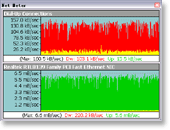
Net Meter monitors traffic through all network connections on current
computer, and displays real-time graphical and numerical downloading and uploading
speeds. The software supports to display transfer rates of multiple network
connections at the same time. It also logs network traffic and provides
daily, weekly, monthly, and summary traffic reports. And start days
of week and month are customizable. The program allows you to setup a notification
to get an alert when you exceed a certain amount of bandwidth usage. And, traffic
stopwatch enables you to test bandwidth speed of connections. You
can also record transfer rates of connections in plain text or Microsoft
Excel CSV format.
Net Meter works with the majority network connections
including phone modems, DSL, cable modem, LAN, satellite, wireless, VPN and more.
The software is full compatible with Windows 98, Windows Me, Windows 2000, Windows XP, Windows 2003, Vista, Windows 7, Windows 8, and Windows 10.
WAN Net Meter and LAN Net Meter!
|



