 |
Hoo WinTail
|
 Hoo
WinTail is a real-time log monitor
and log viewer for Windows like the
UNIX tail -f utility. It could be used to view the end
of a growing file. It is ideal for viewing application
traces or server log in real-time. You can view the last part of a
large file quickly without the need to load the entire file. Hoo WinTail
could capture and display OutputDebugString (Windows debugging
API) output as well. Hoo
WinTail is a real-time log monitor
and log viewer for Windows like the
UNIX tail -f utility. It could be used to view the end
of a growing file. It is ideal for viewing application
traces or server log in real-time. You can view the last part of a
large file quickly without the need to load the entire file. Hoo WinTail
could capture and display OutputDebugString (Windows debugging
API) output as well.
Hoo WinTail has many excellent features for debugging program
and system administration: highlight filters, include
and exclude filters, regular expression for filters, monitor multiple log files,
bookmarks support, minimize to systray and flash systray icon to indicate new
lines written and so on.
Hoo WinTail is a file viewer only. It makes no
changes to log files. It opens log files in read-only mode. When
new lines are written to log file by other programs (e.g. your applications or
web server), Hoo WinTail reads the new lines and displays them.
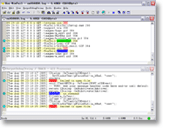
Hoo WinTail has an attractive and intuitive MDI
and tabbed interface. You could monitor and view multiple
log files and capture OutputDebugString output
at the same time.

A
Tail Utility for Windows with Many Great Features! Try It Now!
 Free Download Hoo WinTail
Top 10 Benefits of Hoo WinTail
- Monitor your application log, IIS log, Exchange Server log, FTP Server log,
and so on
Hoo WinTail monitors log files and displays
the last part of them. It supports all kinds of log files.
You also can monitor multiple log files at the same
time.
- Capture and display OutputDebugString output
It's very useful for debugging program.
OutputDebugString is a Windows debugging API. You can
call it in all kinds of programming languages (VC/VB/C++ Builder/Delphi).
- Highlight phrase with text color and background color
Let you easy to see some phrases you concern. You could enter
a regular expression and then highlight it. It's possible to show different text
instead the match phrase.
- Send notification emails for specific highlight phrases occurrence
This feature is very valuable for administrators
and security personnel. Administrators
can watch for known problem "phrases" in various log files and notify
the support personnel if they occur. Security personnel can watch
for known issues in various log files (e.g. firewall log) and notify the proper
people if suspicious activity is noted.
- Write the line that includes designated highlight phrase to a specified file
If you want to monitor a server log to extract
the information that was generated by a specific IP address
you can just set that IP address up as a "watch phrase" and all activity
for that IP address would be extracted to the specified
file.
- Include and exclude filters
It's very useful to filter content that you don't want to see.
The regular expression is supported.
- Send a notification email if a file stops updating
If your applications write to log files regularly, the software
will notify you by email if a log is no longer being written on.
- Open a batch of files on one click
Hoo WinTail supports file sets. The feature allows user to open
a batch files just one one click.
- Easy to see new log data generated
Hoo WinTail will draw a red line to separate new
text lines from old text lines when new data was captured and document is inactive
or Hoo WinTail loses focus.
- DOS, UNIX and Unicode format log support
If you have these format logs you can monitor them using Hoo
WinTail conveniently.
Hoo WinTail Key Features
- Monitor log files and display the last part of them
in real-time
- Capture and display OutputDebugString output in real-time
- Tabbed Interface
- Highlight filters support
- Save document as a HTML file with highlight color
- Show highlight filter as different text
- Send notification emails for designated highlight phrases occurrence
- Write the line that includes specified highlight phrase to a specified file
- Include/Exclude filters support
- Support regular expression on Highlight filter and Include/Exclude
filters
- Monitor a folder and open file automatically when new file is created
- Support file set that opens multiple files by one click
- Send a notification email if a file stops updating
- Draw a red line to separate new text lines from old text lines
- MDI interface - Monitor multiple log files and capture
OutputDebugString output at the same time
- Minimize to systray and flash
systray icon to indicate new lines written
- Bookmarks & Number Bookmarks support
- Indicate file size in window title bar
- Cut/Copy/Past/Delete displayed text arbitrarily, but make no changes
to the monitored log files
- Refresh rate can be customized
- Text search support
- Display font can be customized
- Display buffer size can be customized
- Support mass file (up to 100GB)
- Support DOS, UNIX and Unicode
format log files
- Drag & drop support
- Command line support
Free Download Hoo WinTail
- Hoo Win Tail v4.2 build 986
- Adds an option to enable or disable an include/exclude filter
- Fixes bugs
- Hoo Win Tail v4.2 build 982
- Adds option to show customized text instead of the highlight phrase
- Adds option to limit max length of tab text
- Adds feature "Go to Line"
- Adds new command line argument "-l line_number" that enables Hoo WinTail locates to specified line when opening documents
- Save current document or all documents to a web page with highlight color
- Adds option "Ignore filters that enable 'Show as' or 'Highlight entire line' when clicking 'Next Highlight' or 'Previous Highlight'"
- Fixes bugs
- Hoo Win Tail v4.1 build 952
- Supports suppression period of file stop updating notifications
- Monitors a folder and opens file automatically when new file is created
- Captures OutputDebugString on startup
- Fixes bugs
- Hoo Win Tail v4.0 build 929
- Improves importing highlight, include, and exclude filters
- Sends notification email via Secure Sockets Layer (SSL)
- Saves output of "Capture OutputDebugString" to a file at the same time it's coming on the screen
- Enables to set alias for a tab
- Supports file set on command line
- Improves display of "Previous Highlight", "Next Highlight", "Find Previous", "Find Next", and so on
- Supports regular expression in highlight filter
- Supports regular expression in include and exclude filter
- Fixes bugs
- Hoo Win Tail v3.6 build 769
- Supports file sets
- Sends a notification email if a file stops updating
- Supports to save all documents to a file
- Fixes bugs
- Hoo Win Tail v3.4 build 737
- Improves filtering efficiency
- Adds option "Select text between a couple of characters in a line when
double-click or Ctrl+click"
- Adds option "Copy to clipboard automatically when any text is selected"
- Adds option "Monitor file changes automatically when opening a file"
- Improves highlight filters editing
- Improves include and exclude filters editing
- Adds import and export of highlight filters
- Adds import and export of include and exclude filters
- Fixes bugs
- Hoo Win Tail v3.4 build 719
- Added option "Force polling"
- Added option "Stop polling when vertical scrolling up"
- Added option "Stop polling when horizontal scrolling right"
- Added option "Stop polling when moving caret to other position instead of end of document"
- Added option "Highlight entire line with same text and background colors for highlight phrase"
- Added option "Attach previous N lines when sending notification email of highlight phrase occurring"
- Hoo Win Tail v3.4 build 707
- Added option "Draw invert background and text color for selected text"
- Added options to customize scrolling lines for mouse wheel
- Added options to customize scrolling columns for mouse wheel (press Ctrl and roll mouse wheel)
- Added option "Display clock in status bar"
- Stops polling if user scrolls up log file or move caret; "Go to end" could restart polling
- Fixed bugs
- Hoo Win Tail v3.4 build 661
- Support to enable/disable a highlight filter
- Support to customize tab size
- Added command "Save As"
- Added more shortcuts
- Support mass file (>4GB)
- Fixed bugs
- Hoo Win Tail v3.4 build 609
- Added option "Only one instance"
- Added option "Associate with .log file"
- Added option "On startup arrange re-opened file"
- Added option "Clear window when opening a file"
- Added option "Clear windows when re-opening files on startup"
- Remember position of document window
- Support to configure editors based on file extension
- Fixed a bug
- Hoo Win Tail v3.4 build 589
- Added highlight filter option "Execute a program while filter phrase occurs"
- Added highlight filter option "Actions are only available for special file"
- Fixed a bug
- Hoo Win Tail v3.4 build 578
- Added highlight filter option "Print matched line to the default printer while filter phrase occurs"
- Enabled printing selection
- Fixed a bug
- Hoo Win Tail v3.4 build 572
- Draw a red line to separate new lines from old lines when document is inactive or Hoo Win Tail loses focus
- Added commands "Disable Flash" and "Enable Flash"
- Added quick tour
- Fixed several bugs
- Hoo Win Tail v3.4 build 561
- Added Tabbed interface
- Double-click in left column toggles bookmark
- Improved text viewer
- Added command "Start All" and "Pause All"
- Added command "Browse Log File Folder"
- Added command "Goto End of All Documents"
- Added command "Truncate Log"
- Added an option "Display full path name of log file in window caption"
- Added command "Open More Recent Files"
- Changed number of the last opened files up to 50
- Added command "Clear All Open Windows"
- Added command "Reload All Documents"
- Fixed a bug
- Hoo Win Tail v3.3
- Added include/exclude filters
- Enhanced command line arguments, support to capture OutputDebugString output
and opening multiple files in command line
- Fixed a display bug
- Hoo Win Tail v3.2
- Added function sending notification emails for specified highlight phrases
- Added function writing the line that includes specified highlight phrase to
a specified file
- Support hotkey
- Added more keyboard shortcuts
- Fixed two bugs
- Hoo Win Tail v3.1
- Added function minimizing to system tray
- Added function opening the last opened several files automatically when startup
- Added function "Tile Horizontally as Full Width"
- Added function "Tile Vertically as Full Height"
- Fixed a bug
- Hoo Win Tail v3.0
- Added MDI Interface - Monitor multiple log files and captures OutputDebugString
output at the same time
- Owner programming text display Editor that will be more efficiently than past
RichEditCtrl
- Support bookmarks & number bookmarks
- Fixed a bug
|



